What Is Quantum Computing (Future of AI Computing)

What Is Quantum Computing (Future of AI Computing)

Hi, thanks for tuning into Singularity Prosperity. This video is the ninth in a multi-part series discussing computing and the second discussing non-classical computing. In this video, we'll be discussing what quantum computing is, how it works and the impact it will have on the field of computing. The foundation of this paradigm shift in computing is the quantum bit, qubit for short, as the unit of measurement for quantum information.

While a classical binary digit, bit, can only be either 0 or 1, a qubit can be both 0 and 1 due to superposition. Superposition is a property of quantum mechanics in which when not measuring a system, the resultant can be a variety, more specifically, a probability of two or more states. However, when we measure the system, a final state must be adhered to. An example most people are familiar with is, Schrodinger's cat, both alive and dead in the box at the same time, until we open it up.

A more concrete example is the famous double slit experiment which showed the wave-particle duality of light. When firing electrons through a sheet with two slits, we'd expect that the particle would go through one slit or the other and produce light in-line with the slit on the wall behind it, and this is in fact what happens when we observe the result. However, when we're not observing, the electron produces light on the wall representative of an interference pattern, with an interference pattern being the result that would be seen if a wave, say of water, was to go through slits, with the constructive and destructive interference producing the same exact pattern as single electrons going through. With electrons however, the result on the wall is determined not by interference but by a Bayesian probability spread, the probability that we'd find the electron at a specific point on the wall, with higher probabilities in the center and getting lower as we move outwards.

In fact, the electron actually goes through both slits, and one slit, and the other slit, and no slits...All at the same time and produces this spread. Another property of quantum mechanics is entanglement, in which two or more particles can have correlated final states when measured. This meaning if one particle is measured have an upward spin for example, and if there is an other particle entangled with a negative correlation, then that second particle would have a downward spin. This is what Einstein referred to as, spooky action at a distance, you can create an entangled pair, move them across the universe and they would still instantaneously receive information about one another.

For more information on quantum mechanics, be sure to check out other creators on this platform such as, Frame of Essence. Moving on, now that we have a basic 'understanding' of quantum properties, how does this translate to quantum computers? To represent a qubit multiple avenues can be taken: the spin-up and spin-down states of an electron, the spin states of a nucleus in an atom and the polarization state of a photon. Both bits and qubits scale in the same way, 1 bit is equivalent to 2 potential states, 2 to 4, 3 to 8 and so on. However, with bits in classical computers, all those potential output states can only be computed one state at a time, serial operation.

In quantum computers, all states are effectively computed together, true parallel operation. As a side note, quantum bits are represented using a bloch sphere. With 0 and 1 only having a z-axis value and all the other superposition states with only an x and y-axis value. N qubits translates to 2^N parallel paths of execution, to highlight how important this is in terms of computing, watch this clip on the power of exponentials that IBM in fact played in the 1960s to highlight the power of computing performance: This is an old story, but it reminds us of the surprises we can get when even a small number like 2 is multiplied by itself many times.

King Sharam of India was so pleased when his Grand Vizier presented him with the game of chess, that he asked him to name his own reward. The request was so modest, but the happy King immediately complied. What the Grand Vizier had asked was this, that one grain of wheat be placed on the first square of the chessboard, two grains on the second square, four on the third, eight on the fourth, 16 on the fifth square and so on. Doubling the amount of wheat on each succeeding square until all 64 squares were accounted for.

When the King's steward had gotten to the 17th square the table was well filled, by the 26th square the chamber held considerable wheat and a nervous King ordered the steward to speed up the count. When 42 squares were accounted for the palace itself was swamped, now fit to be tied King Sharam learns from the court mathematician that had the process continued, the wheat required would have covered all India to a depth of over 50 feet. Incidentally, laying this many grains of wheat end-to-end also does something rather spectacular, they would stretch from the Earth, beyond the Sun past the orbits of the planets, far out across the galaxy to the star Alpha Centauri, four light-years away. They would then stretch back to Earth, back to Alpha Centauri and back to the Earth again.

So, after seeing the scale of parallel operations a quantum computer can do, how do quantum computers compute? Step One) Activate The Spread: The quantum bits required for the calculation are acquired and entangled. Visualizing this in a bloch sphere, these entangled bits are in an equal spread of the superposition of all the 2^N. States. Step Two) Encode The Problem: The problem is encoded onto the system via quantum gates which we'll discuss later in this video.

These gates reorient the qubits into new superpositions for all the 2^N states by altering their phase and amplitudes. Step Three) Unleash The Power: The quantum computer comes to a solution by using the principles of interference to magnify the amplitudes of the most probable answers and shrink the improbable answers. Some recursive problems will require running through the steps again. The final step draws parallels to the double slit experiment we discussed earlier, through interference patterns a Bayesian probability spread is produced, showing the likelihood of the most probable solutions, just like the probability spread showing where the light would be most likely to shine.

There are problems a classical computer simply can't solve, this is part of the P. Versus NP problem. Simply put, P versus NP. Is problems that could be solved in a reasonable amount of time versus problems that can never be solved or would take too long to obtain a solution.

One such problem is factoring a number into primes, this is called Shor's algorithm, which is also the basis of modern encryption. A classical computer would take in the order of quadrillions of years to solve an encryption problem without a key, going through each potential output sequentially. A quantum computer could solve this in the span of a few days or less due to parallel computation. A more in-depth discussion on quantum encryption and security is a topic best left for a future video on cyber security.

Also as a side note, if you want more information on the P. Versus NP problem, be sure to check out the best video on the topic by creator, hackerdashery. Back on topic, another huge problem set that quantum computers can solve and will drastically impact the world are optimization problems. Classical computers can do optimization problems up to a certain point, before a combinatorial explosion occurs.

This is the point where the number of different combinations that must be explored in a given problem grows exponentially. Take the optimal seating plan for 14 people at a banquet dinner for example. With 2 people there is 2! 'Factorial', in other words, 2 combinations, 3 people is 6 combinations, 4 24, 5 120, 6 720, 7 5040. As you can see, the problem is slowly reaching an exponential tipping point, now going forward by another seven people at 14 people there are over 87 billion different seating combinations.

This simplistic example serves well for visualizing the scale optimization complexity can reach, and how problems while simple at first can get out of reach for classical computers very fast. Now a field of computer science that has seen a lot of traction recently and aims to solve optimization problems is machine learning, further extending to artificial intelligence. These algorithms are able to solve problems previously thought not possible by the P versus NP. Problem.

We'll cover this topic very intensively in this channels AI series, but essentially machine learning algorithms solve problems by crawling through large sets of data and finding commonalities and correlations which help it form its own optimal solution rather than explicit programed code. Data crawling, sorting and path optimization are fields of computer science in themselves, with algorithms  designed to reduce the time required, such as bubble sort, shear sort, Dijkstra  and countless others. All these algorithms are classical in nature and even though some might implement asynchronous techniques, they are still serial, so a 1 million element list for example is still sorted element by element. Quantum computing algorithms as discussed in the previous section will be able to sort and optimize data much faster through their parallel operation, this translates to exponentially increasing AI performance.

From circuit design, the shape of vehicles for optimal drag performance, Google Maps, other complex P versus NP problems such as protein folding and simulating chemical reactions, the list can go on and on. Quantum computing algorithms and AI will revolutionize nearly every field from bio and nanotechnology to marketing to ideas we can't even imagine possible today - many videos on this channel will be dedicated to covering these ideas in the future. It is highly improbable we will see quantum computers on a desktop anytime soon, however, through the concept of heterogeneous system architecture which we discussed in a previous video in this computing series, there will still be ways we can get the benefits of quantum performance. One such method will be quantum computers in the cloud.

You access them with problems through your normal devices such as a desktop, laptop or mobile phone and quantum computers in the cloud will reduce the probability space, return the most probable answers and your device will have enough computing power to take it from there. Coming up we'll cover some quantum computers we'll see in the cloud in the near future and some that are already there now! [Music] 2018 is for quantum computing like 1968 was for our current classical computers: computers are the size of entire rooms, the cutting edge of all types of research is pouring into them and more organizations and people are entering the race to quantum supremacy every year. Quantum supremacy is the point at which quantum computers will become more powerful than classical computers, this milestone is set at 50 qubits. There is a difference however between the methodology of quantum computing used to get there, not all quantum computers are made equal.

Dwave for example uses a type of quantum computer based on quantum annealing, this allows them to scale up much faster in the qubits used: from 128 in 2011, 512 in 2013, 1000 in 2015, 2048 in 2017 and a 5,000 qubit system is expected this year, 2018. Quantum annealing however doesn't operate like a typical quantum computer and relies on energy minimization problems which lowers the scope of problems that it can solve. These problems are still in the NP. Section, and referred to as QUBO, quadratic unconstrained binary optimization, problems.

Essentially a pattern matching technique which also has applications that are useful in machine learning. It is hard to quantify when quantum annealing will reach a point of quantum supremacy due to its problem scope, however, this approach is the fastest to scale and will bring public quantum computing faster than gate based quantum computing. The 50 qubit quantum supremacy milestone is set for gate based quantum computing, this is what we discussed about earlier in the video, where all qubits in the system are entangled and a probability spread outputted. There are various initiatives to achieve this, to list a few: Intel with there 49 qubit chip unveiled at CES 2018, IBM with development of a 50 qubit chip announced late 2017, Google who have built a 50 qubit chip and are now testing and Rigetti who have plans for a 50 qubit chip by 2019.

For more information on current initiatives be sure to check out other creators on his platform, as the quantum race is ever-changing and expanding. Now to see how complex quantum computers are, check out this video of IBM's quantum computer, Q: This is the first IBM Q computation center, where the commercial quantum systems used by the IBM Q network live. The IBM Q network is a worldwide organization of industrial, research and academic institutions - joining IBM to advance quantum computing and launched the first commercial applications. Here we see a 20 qubits system which will be accessed online by members of the IBM Q network, in the future they will have access to 50 qubit systems which IBM recently prototyped.

Listen to the tinkling whoosh the system makes as it maintains the ultra-cold, 15 millikelvin temperature, required for IBM's superconducting qubits to operate. That's colder than outer space, cold enough to make atoms almost completely motionless. This is an open dilution refrigerator that contains the qubits of niobium, silicon and aluminum - it's so dark and cold inside, that it's almost impossible to find even one photon of light. The 20 qubit quantum computer you just saw is available for public use through IBM.

Cloud services, and has a great community of developers and people just venturing into learning quantum algorithms with many resources on what types of quantum gates there are and their effect on results. This system is global with over 60,000 users from more than 1,500 universities, 300 high schools and many institutions - running over 2 million experiments with over 35 research papers and growing. In fact, the first quantum video game has been created by one of these users, Quantum Battleships, you can hit miss and both at the same time ;)! Microsoft also has a development environment and extensive documentation for simulating a quantum computer and running quantum algorithms on your computer at home. This is a fairly computationally intensive process, with simulation correlated to your RAM.

Simulating 30 qubits requires 16 gigabytes of RAM, adding just one more qubit doubles the amount of RAM needed, one less halves the memory required - extrapolating forward, simulating 40 qubits requires 16 terabytes of memory, which is why there is also the ability to run simulations off Microsoft's Azure cloud! Commercial adoption of quantum computing is still a ways off, but as stated earlier, 2018 is the 1968 of quantum computers, with inevitability that they will be the basis for future computation. This field of computing is still in its infancy, but accelerating at an increasingly exciting and rapid pace! [Music] At this point the video has come to a conclusion, I'd like to thank you for taking the time to watch it. If you enjoyed it consider supporting me on Patreon to keep this channel growing and if you want me to elaborate on any of the  topics discussed or have any topic suggestions please leave them in the comments below. Consider subscribing for more content, follow my Medium publication for accompanying blogs and like my Facebook page for more bite-sized chunks of content.

This has been an Ankur, you've been watching Singularity Prosperity and I'll see you again soon! [Music].

Verbs, Nouns, and the Apollo Guidance Computer

Verbs, Nouns, and the Apollo Guidance Computer

A lot of you guys have asked about the whole Verb/Noun the thing on the Apollo guidance computer. Well, that's what we're talking about today - in brief - on Vintage Space. The comparison is often made that a modern cell phone has more computing power than the Apollo guidance computer. Well, yes, that's true, but your iPhone can't get you to the Moon; it doesn't exactly have that software...
And really, the beauty of the Apollo guidance computer is in how tightly packed and specifically organized that software really was. When we think of a computer or even a smartphone we think of interfaces that are familiar to us like a screen and a word processor and a keyboard... And even just a basic calculator. Well the Apollo guidance computer had none of those things.

It was designed to run a very small set of specifically designed programs needed to run a mission to the Moon, things like checking the guidance platform alignment and firing the engines. Everything on an Apollo mission was done through the computer and it took about 10,500 keystrokes to get one mission to the Moon and back. But because the guidance computer didn't have those interfaces that we're used to like keyboards and word processors and all those things, the inputs had to be a little bit different. This is the interface of the Apollo guidance computer, the display and keyboard commonly referred to as the DSKY (diss-key).

Now you can see that it does have a screen, it does have keys, but it's not a typical screen like we're used to using on our home computers. There aren't alphabetical keys and the screen doesn't list information in words. In fact, this keyboard is anything but common to us. So how exactly did the astronauts use the DSKY? Well it actually offered a very simplistic interface for crews.

Starting with the warning lights. COMP ACTY lit up when the computer was running a program. UPLINK ACTY was lit when there was data being received from the ground. TEMP.

Lit up when the temperature of the platform was out of tolerance. NO ATT. Lit up when the inertial subsystem could not provide an attitude reference. GIMBAL LOCK lit up when the middle gimbal angle was greater than 70 degrees signifying that the spacecraft was close to hitting that deadly gimbal lock scenario.

STBY lit up when the computer system was on standby. PROG lit up when the computer was waiting for additional information to be entered by the crew to complete a program. KEY REL lit up when the computer needed control of the DSKY to complete a program. RESTART was lit up when the computer was in the restart program.OPR ERR error was lit when the computer detected an error on the keyboard.

And TRACKER lit up with one of the obstacle coupling units failed. The lunar module DSKY had three additional warnings: one to signify a problem with the autopilot and two more to signify problems with the altitude and velocity of the lunar module spacecraft. In addition to these 10 warning keys we have other keys: Verb, Noun, Plus, Minus, numbers, and handful of command keys. So there's no obvious way to write in a command like "run guidance platform alignment program," so how exactly did the astronauts actually interface with the computer using the DSKY? Well, this is where nouns and verbs come in, but to understand this we actually kind of need to leave the spacecraft for a second and go down to maybe the streets of New York City.

So imagine you're in New York City, you are a tourist, and you don't really speak any English; you've got about five words in your arsenal, none of them include "excuse me, but which way to a lovely restaurant in this fine neighborhood of the city?" So you find a policeman knowing that this is the kind of person who might be able to direct you towards what it is you're looking for. So you go up to the policeman and you use one of your words to tell him what it is you want to do. That word is "eat," and that is a verb. But there's a lot of food in New York City to choose from so you have to define what it is you want to eat, and so you use one of your other words, "pizza," which is a noun.

So do you see where we're going with this? Just like your awkward, broken English conversation with the New York City policeman, all data going through the Apollo guidance computer used verbs and nouns. The verb is defined as the action being taken and the noun is defined as the data set being acted on. There's actually a really simple computer-based version of this that we all use but don't really think about because it's not expressed as a noun and a verb: printing a document. If you select print, that is the verb.

The file name is the noun, which is basically the data set (or in this case document) that that verb is acting on. So the astronauts inputted all their data using nouns and verbs into the Apollo guidance computer. There were 100 sets of noun verb pairs all defining a specific thing that the Apollo guidance computer would do on a mission. So let's look at an example.

Let's say you enter verb 37 -- that tells the computer that you are about to make a change to the program. Then you hit 3-1, and that tells the computer to run noun 31, which is a targeted rendezvous program. And there are a host of others! The crew could request maneuver angles with verb 50 noun 18, the crew could monitor changes while a maneuver was in progress with verb 06 noun 18, or even request velocity change required for the next maneuver using verb 06 noun 84. Once the noun and verb pairing was entered into the computer, the relevant information was displayed on the DSKY.

And of course as you can expect when doing something big like going to the moon there were different kinds of programs, so different kinds of nouns and verbs. Regular verbs verbs 00 - 37 were used to display, monitor, or update data meaning they needed a noun; they needed something to be acting on. Whereas extended verbs were verbs 49 - 99 and they didn't need a noun to execute a program; they told the computer to perform a simple operation. Of course, there is so much more to the Apollo guidance computer than this super quick look at nouns and verbs, and so I would urge you all to check out Frank O'Brien's book "The Apollo Guidance Computer," which, as I've said before and I always remind Frank is said with love and in jest, it is more than you ever need to know about how the Apollo guidance computer worked! So do you guys have other questions about the Apollo guidance computer? I'm not saying I can answer them off the top of my head but I can read and then figure it out for you! Let me know if any of this makes sense or if none of this makes sense or if you have other things you would just love to figure out about how the Apollo guidance computer worked! Leave all of those and of course any other comments and things you would like to see covered in future episodes down in the comment section.

Be sure to follow me on Twitter and on Instagram for new Vintage Space-ish content every day of the week, and things are going to be changing just a little bit on this channel but I'm still doing it classic Vintage Space education episodes every Monday or Tuesday (depending on upload schedule) so if you don't want to miss any of those be sure to subscribe just so you never miss a video!    :).

Unplugged - What is Computer Science

Unplugged - What is Computer Science

What do you want to be when you grow up Olivia?
Umm, an astronaut! Do you happen to know what a computer programmer is? Yeahh, umm, no.
Umm, what what? I'm not really sure how to explain it. Computer programming is pretty
simple. It's a set of instructions, like a recipe. You have to follow them step by step
to get the end result you want.

Computer science is a way to impact the world. It can be music
videos, it can be games, detect whether or not someone is related to someone else. Find
you know, people's friends. You can do all sorts of other crazy things that actually
save lives.

You do have to have a drive I. Think. It is to me like a paintbrush. I think
great programming is not all that dissimilar from great art.

When I finally learned a little
bit of programming, that blank wall resolved into a bunch of doors and you open them and
of course then you find behind them is another hallway filled with a bunch of doors. Programming
is fun and easy. You can do anything your mind wants to do. Finally you start to open
enough doors the light comes in.

To me a finished program is like a structure filled with light.
All the corners are illuminated. The number of people that you can touch and interact
with is something the world has never seen before. Our first lesson in this series is
all about what computer science is, what a computer scientist does and how you can be
more responsible in your use of technology. It's a very important lesson but it is a little
text-heavy.

At the end, you get to make your very own customized encoding using your initials.
It's a fun activity and it's very empowering because binary is one of those things that
feels very technical but once you understand it, it's like you speak a secret language..

UNBOXING A QUANTUM COMPUTER!Holy $H!T Ep 19

UNBOXING A QUANTUM COMPUTER!Holy $H!T Ep 19

We are coming to you live from the coldest place in the known universe Well, near it anyway. What would you say if I told you that the headquarters for D-Wave - the world leader in commercial quantum computing systems - is a stone's throw from our warehouse? And what would you say if I told you that they invited us in for a behind-the-scenes tour? Well Linus, I'd probably say that's exactly what I was expecting, given the title and thumbnail of this video, stop wasting my time. Got it. Let's go.

Cooler Master's 25th anniversary Edition Cosmos 2 features a unique Dual curved tempered glass side panel. Check it out now at the link below So in 2007 D-Wave introduced their first quantum processor. Now, with only 16 qubits, it wasn't especially powerful. But the point wasn't whether you could or couldn't solve the same problems with a pencil and a piece of paper.

The point was that this scalable approach would allow them to ship the world's first commercial quantum computer the D-Wave One in 2011 with 128 qubits followed by 512 1000 and 2000 cubic designs in 2013, 2015, and 2017 respectively. And adding more qubits is the key to increasing performance because the more qubits you have, the more complex the problems that you can tackle. You see quantum computing doesn't work like classical computing with ones and zeros where you feed it a question and then it spits out an answer. Instead a quantum processor takes all of the parameters you feed it and works on Every solution pointing you at one or two or maybe even more optimal Solutions.

So they're not perfect for everything. I don't think there's a single person in this building who expects Call of Duty: Black Ops 10 to run on a D-Wave mach 5 Quantum gaming rig or anything like that but for scheduling out of sports teams games over the course of a season For tackling problems like logistics climate change and Energy distribution or for conducting AI research These puppies right here have the potential to completely disrupt the existing players. So then let's go have a look at one shall we? Now there are only a handful of customers in the world who have Actually ponied up the price of a D-Wave system including high Rollers like Lockheed Martin, Los Alamos National Lab, Google, and Nasa. But D-Wave Themselves have a handful of their latest generation 2000 Q systems running here at their headquarters that are available through the cloud just make sure that you don't turn off any of the ones with a delightfully Low-Tech "Online" sign zip-tied to it it might be doing very very important research.

So from the outside a 2000 Q doesn't look that different from any other compute cluster with a few black racks and when you open up door number one There's not much at first glance to indicate that there's anything special about it You'll find a network switch, a UPS for battery backup, a normal server responsible for monitoring some monitoring devices that Wait a minute! Seven Eight Degrees Milli Kelvin we're going to have to get back to that later. There's also a second server that takes a problem and translates it into machine code using custom room temperature electronics to generate high precision analog signals that it then sends to, as we promised, just about the coldest place in the known universe The single, yes, just one chip, single code named, Washington, quantum processor at the heart of this machine, but where exactly is it? It's not behind Door 2, or door number 3 back there you'll find the first and second stage pumps that are used to create a vacuum around the processor to Thermally insulate it and it's cooling system from the outside world as well as a compressor for the aforementioned cooling system, and You also won't find it in this Barrel shaped Doodad that is actually a liquid nitrogen filter that removes impurities from the Coolant mixture of Helium-3 and Helium-4 Isotopes and is one of the things that allows D-Wave systems to run for years at a time a critical feature Given that the chip kind of locks into a certain configuration Once it's supercooled and if you heat one of these puppies up back to room temperature it can take up to two days to cool it back down and up to four weeks to finish the the rebalancing or recalibration process. No, no, to find the actual processor, we have to go past this first door on the left here that handles connecting the all-business racks at the front to the giant box here that was hiding in plain sight that I'll be referring to as the "party in the back" or per D-Wave's gentle suggestion, the "shielded enclosure". This right here is effectively a big faraday cage and the first of sixteen layers of shielding that are designed to shield the Powerlines and preserve the integrity of the signals to and from the quantum processor to the greatest degree possible And that was a very intentional pun by the way now normally these rooms are closed and there is a series of casings on top of this apparatus here to maintain the vacuum around what is effectively the Motherboard of our quantum computer, but they had one open for maintenance today, so we've got to get up close and personal The thing is peppered with probes and sensors, heat exchangers, data wires, but the five big plates are really the main attraction here.

Each of them represents a different stage of the cooling system The top one gets signals from the outside world on copper wires and runs on a frosty 70 degrees Kelvin the next one down uses the same fridge and these braided copper conductors to get down to four degrees Kelvin, which is both low enough to Condense helium to a liquid and To switch over from Copper wires to the superconductor Niobium the middle plate here uses vacuum helium for to drop our signal wires to one degree Kelvin the Fourth uses Helium-3 To get us to about it to a tenth of that and the final stage uses a sophisticated Mixture of those two isotopes to drive this entire Filtering and shielding apparatus as well as the processor inside down to its typical operating temperature of about oh point zero one five degrees Kelvin damn near Absolute zero But why does it need to be so cold? Niobium already super conducts at nine Degrees, Kelvin interstellar Space is 3.1 Degrees Kelvin our solar system is even warmer. We're talking oh point zero one five degrees Kelvin well this Superconducting chip here is what's inside there, and it's connected via four hundred superconducting wires And this is kind of like the pins on a CPU socket and what it's doing if it's using Quantum mechanical effects to process information. So for that to work, these effects need to be significant enough to use them for computation, which means that the temperature needs to be well below the energy scale of those quantum effects if it wasn't, then the data you'd get would be very very noisy, corrupted by heat related quantum effects. That's why the colder they can get, pretty much, the better and getting even colder in the future may actually be practical.

So this generation of the waste processors consumes no power and outputs no heat meaning that the 20 kilowatts of power that are required to run system is just Dedicated to the cooling system. So unless they wanted to go colder this energy cost doesn't change whether you're running a hundred cubits or 2,000 cubits, that's just the sweet spot of practicality and functionality Today and more cooling is far from the only thing on the horizon. The future's looking bright for our neighbors here at D-Wave they don't have a 50-Year vision yet necessarily, but in the nearer term they don't really perceive anyone else in the space as a real competitor with a commercializable technology and with more R&D focus they think their system could be as compact as three or four racks and capable of taking on some of the hardest Neural Network problems that we face in the years to come and you know what? Sounds pretty good to me. Dollar Shave Club is kind of amazing you can get their high quality blades and they're amazing shave butter, which goes on clear, delivered to your door for less than what you'd pay to have to actually get off your own butt to drive to the store, fight with someone to open up the security cage, and buy razor blades there.

It's ridiculous! And for a limited time new members can get their first month of the executive razor With a Tube of Dr. Carver's shave butter for only 5 bucks with free shipping and after that your razors are just a few bucks a month so that's a $15 value for just 5 bucks. And don't forget that Dollar Shave Club offers more than just razors. Along with shave butter, they have an awesome selection of high-quality grooming products from hairstyling to shower products that you can get just like their razors Delivered to your door so get your first month for just 5 bucks at dollarshaveclub.Com/Linus - that's dollarshaveclub.Com/Linus - So thanks to D-Wave for hosting us here.

Thanks to you guys for watching if you dislike this video You know where that button is but if you liked it hit the like button get subscribed, and maybe check out where to buy the stuff we featured at the link in the video description, okay? Less applicable for this video than usual, but we also have links down there to our merch store Which has cool shirts like this one and our community forum which you should totally join.

Ultra low Batman Arkham Asylum on Stick Computer! (Intel Compute Stick)

Ultra low Batman Arkham Asylum on Stick Computer! (Intel Compute Stick)

Here on the LowSpecGamer, we take pride in
reducing modern games to mush to run them on low-end computers. Except when they are Arkham Knight which still
refuses any sort of user modification? Why do you do this to me Arkham Knight?! I started this channel with the explicit purpose
of getting to you. Why? But who needs that when you have the original
Arkham Asylum, the game that started the greatest superhero video game franchise ever and the one game that re-ignite my passion
for superheroes, convincing me that modern gaming can be amazing. Would we be able to somehow get this game
to work on an Intel Atom Stick Computer? We are about to find out.

Right after a short message. Because this video is possible due to a sponsorship
from Alliance: Heroes of the Spire. A mobile game with thousands of hero combinations
that really puts your skills to the test. Real-time PvP, crazy Giant bosses, never-ending
hero combinations and massive guild all in Mobile.

Sound cool? Check it out on the link the description and
receive 50,000 gold and 50 gems for free. And thank you to them for sponsoring the video
and continue making LowSpecGamer a reality. For those unaware, Batman Arkham Asylum was
an Unreal Engine 3 game released in 2009. It's minimum requirements puts it right in
the space of what you would expect to be able to easily run on a conventional modern laptop
or desktop.

Which is why I am using the Intel Stick V2. I made a dedicated video on this ultra-portable
computer, it sports an Atom x5-Z8300 with its intelHD graphics and just 2 GB of ram. Starting from the lowest settings the game
is already very flexible with plenty of low-resolution textures and shadows disabled. But as usual, we can go farther.

The configuration files are located in your
documents folder, square enix, Batman Arkham Asylum GOTY, BmGame, Config and we will modify
userEngine and BmEngine. On userEngine navigate the SystemSettings
sections and in here you can disable LensFlares, Depth of Field and Dynamic Lights. The change in Dynamic Lights will be noticeable
right away, mainly in the colouring of certain scenes. Furthermore, BmEngine has its own SystemSettings
section.

Here you can disable decals, and there is
a second variable for Dynamic Lights in case disabling the other one did not work, and the same goes
for depth of field and lens flares. Do not disable directional lightmaps. As with most Unreal Engine 3 games this makes all
surfaces pitch black. Now for weaker GPUs, such as the one I am using
you can reduce the internal resolution with screen scale, so even if you are running the
game on 1080 the real render resolution will be a percentage of that but upscale back to
the external resolution.

It preserves text readability while having
all the advantages of a lower resolution in terms of performance. And finally, as usual, the texture groups
control the maximum and minimum sizes of most of the game's textures. If you reduce them all to 1 you basically
force the game to look like this. Batman has always been a flexible hero, from campy to broodie boi to mud man? Interestingly enough on these conditions,
the game does manage to keep going.

It drops to around 25 on some of the larger
rooms and oh good look at this beautiful overworld. In general, the game manages to keep around
playable levels. There is plenty space needed to fight effectively. Something interesting that I noticed is just
how well visually designed the game is.

Without any sort of detail and with most surfaces
being one colour it is still perfectly able to read a room
as well as the locations of actions of enemies. This is a mixture of some really clear level
design with some fantastic animation that makes it very easy to see when an enemy is
going to attack or approach you in some way. They really do not make them to... Actually,
some of the later games in this franchise introduced some fantastic improvements I just
wish there was an easier way to reduce their graphics.

You! Get back to the blacklist! BACK
I SAY. Thank you to this video's sponsor for helping me keep the channel going and to the Patreons for contributing and you for watching..

Top 10 MOST DANGEROUS Computer Viruses Of All Time

Top 10 MOST DANGEROUS Computer Viruses Of All Time

Welcome to Top10Archive! Most of us have gotten a computer virus or
two before. Browsing around on some risque parts of the
internet, then all of a sudden you've picked up an unwanted hitchhiker along the way. For this installment, we're taking a look
at 10 of the Worst Computer Viruses of all time. 10.

Melissa Virus
This one is described as a macro virus, due to the fact that its not a standalone program
- needing another program to be triggered - in this case, through Microsoft Word. In March of 1999, David L. Smith would introduce
this virus to the internet. The macro virus itself, however, was written
by Kwyjibo, aka VicodinES or ALT-F11.

This virus was responsible for millions of
dollars in damage due to the disruptive influence it had over so many networks. Infected computers would send out emails in
mass to anyone in the local PC's email system. The original version came under an email titled
"Important Message From... (Fill in the blank)", and had managed to infect thousands of computers
- including those within government agencies.

Although the virus would be minuscule today,
in 1999, it had a drastic impact on computers worldwide. 9. Sasser
A slightly newer virus than the one just mentioned, those running Windows 2000 and Windows XP
were vulnerable to the Sasser virus. First noticed on April 12th, 2004, this worm
is yet another that exploits buffer overflow of the LSASS.

It begins affecting the infected computer
by scanning across different ranges of IP. Addresses, connecting to the victim's computer
via TCP port 445. The overall effect of this virus was global,
including blocking all satellite communications to Agence France-Presse or the AFP, Delta
Air Lines canceling numerous flights, and both the Nordic insurance company If, and
parent company Sampo Bank hitting a complete halt and closing 130 offices in Finland alone. In the end, Microsoft issued a $250,000 bounty
reward on the creator, which quickly led to the arrest of 18-year-old German computer
science student, Sven Jaschan.

8. Zeus
The Zeus virus, or sometimes called the Zbot, is a malware program that allows someone to
construct their very own Trojan Horse. This toolkit was actually sold across the
black market - ranging from $3000 to $10,000 - as it is so easy to use, non-programmers
could use it to make their own horses successfully. The malware would remain dormant on the infected
user's machine until they came across a web page with a form to fill out.

It gained its major bit of notoriety in 2006,
as a common choice for hackers and criminals to steal online banking credentials. The worms built by the Zeus toolkit are so
adaptable, that they are often times overlooked by anti-virus programs - and according to
a report by Trusteer, nearly 77% of all PC's that are infected with Zeus Trojans have current
up-to-date anti-virus programs. 7. Nimda
Just one week after the tragedy that was 9/11, we got a more globally spread attack in the
form of the Nimda virus.

First appearing on September 18th, 2001, this
virus became so powerful that it actually slowed down global traffic as it powered its
way across the internet. Its name, which is the word Admin backward,
comes from the "admin.Dll" file that takes control and replicates the virus. In short, the virus probes IP addresses, searches
for registered vulnerability, embeds itself into an exposed IIS server while looking for
a JavaScript, which it then causes it to replicate the virus and project it forward onto new
victims. 6.

Storm Worm (Nuwar)
Starting in January of 2007, the Storm Worm began attacking thousands of computers in
the United States and Europe, and within just 1 week after launch, was responsible for 8%
of all malware infections globally. Containing its very own SMTP or simple main
transfer protocol engine - it allowed it to copy itself as an attachment and send itself
off to your contacts. The infection gained access through clickbait
emails, usually titled along the lines of "230 dead as storm batters Europe" and "Saddam
Hussein alive!" Once the attachment is opened, the malware
installs the wincom32 service, and injects a payload, passing on packets to destinations
encoded within the malware itself. 5.

Conficker
Known by a variety of different names, such as Down, Downadup, Kido and of course Conficker,
this computer worm was first noticed in November of 2008 and targets and exploits flaws within
the Microsoft Windows operating systems. These flaws allow it to launch dictionary
attacks on the administrative passwords to propagate while forming a botnet. The Conficker virus has infected millions
of computers, from homes, businesses, and even government computers across 180 countries. This particular virus has been increasingly
difficult to handle, as it possesses a vast array of malware techniques.

Since 2009, Microsoft has had a $250,000 bounty
reward leading to the capture of those responsible for the virus - which still has yet to be
claimed. 4. Slammer Worm
Alternately called the SQL Worm - this one being a bit misleading, as it did not utilize
the SQL language - and Sapphire Worm. The SQL Slammer Worm forced denial of service
on certain internet hosts and exploited a buffer overflow bug in Microsoft's flagship
SQL Server and Desktop Engine database products - which in turn greatly reduced the speed
of general internet traffic.

It was first noticed on January 25th, 2003
and spread at an unprecedented speed, infecting most of it's estimated 75,000 victims within
ten minutes of the initial launch and caused roughly $1 billion in damages. 3. Code Red
The Code Red virus attacked users that ran Microsoft's IIS web server. First noticed by eEye Digital Security employee,
Marc Maiffre, he named the worm Code Red, as that was what he was drinking when he discovered
it on July 13th, 2001.

The worm was famous for displaying the message
"HELLO! Welcome to http://www.Worm.Com! Hacked By Chinese!" It spread itself with a bombardment of the
letter "N", overflowing a buffer and allowing the worm to execute arbitrary code within
the machine. The virus was so popular, that it inspired
another virus, simply called "Code Red II," on August 4th of the same year and eEye believes
the worm originated in Makati City, Philippines, the same place of origin as the "ILOVEYOU"
virus. In the end, the virus was said to have cost
$2.6 Billion in damages. 2.

ILOVEYOU
This virus carries such a harmless little message for something that was responsible
for so much damage. The "ILOVEYOU" virus, created by Reonel Ramones
and Onel de Guzman of the Philippines, was introduced to the world on May 4th, 2000,
and spread so quickly that it was estimated to have hit around 45 million users in less
than one day, and within 10 days, infected an estimated 10% of networked computers in
the entire world. The virus comes in an e-mail with "I LOVE
YOU" as the subject - inside of which is an attachment that will spam the virus out to
everyone's Microsoft Outlook contacts, but also deleted many of the media files from
the recipients' hard drive, mainly including all pictures and MP3 files. For the United States alone, the virus did
more than $15 billion in damages and in a twisted string of events, both developers
were released of all charges since the Philippines didn't have any laws against writing malware
at the time.

1. MyDoom
MyDoom has a myriad of names, including W32.MyDoom@mm, Novarg, Mimain.R and Shimgapi. This computer worm affects Microsoft Windows
and was first spotted on January 26th, 2004. Known as the fastest-spreading e-mail worm
to date, the worm is believed to have spread from Russia, though the actual location and
even creator are unknown.

The virus would come in an email stating "Andy;
I'm just doing my job, nothing personal, sorry." The virus is another that spams our emails,
and its believed that it was created to target the SCO Group - as twenty-five percent
of the infected hosts targeted www.Sco.Com. In January of 2004, Microsoft offered a reward
of $250,000 leading to the arrest of the creator, which again, has still yet to be claimed. Mydoom and its variants are said to have caused
$38.5 Billion in damages, making it the worst reported computer worm in history..

This Will Kill Your Computer

This Will Kill Your Computer

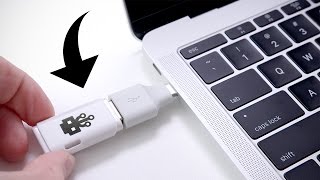
- I'm nervous. Hey guys, this is Austin, and this is the USB Killer. Now, it might not look like much, however this will straight
up kill your computer. So, this is a device that's
used to test hardware, so while it looks like
an ordinary USB device, you take the cap off it
can be any old flash drive, instead, there's a series
of capacitors inside.

So, if you plug it into a computer, it will charge those capacitors up, and once they're full it turns around and releases all of
that power at 240 volts straight back into the computer, in theory killing it. While the USB Kill logo
is a bit of a giveaway, it doesn't take much to be
able to pop this thing open. Now, before we proceed:
Do not try this at home. Seriously.

Not only is it very
possible for this thing to kill electronics, but it's also a lot of voltage here,
you wanna be careful. And by being careful, I
mean don't try this at home. So, to find out if this
is actually going to work, we have an Asus Chromebook. Now, USB Killer claims that this is going to work on around
95 percent of computers, and the reason for that is that while some computers have
properly capped USB ports, most have completely unprotected ports, which means that if this thing sends a ton of power through the computer, instead of being able
to block it at the port, it's gonna send it straight
into the motherboard, fry a bunch of stuff,
it's going to be dead.

So in theory, I plug this
in, and it's going to die. So, plugging it in in three, two, one. (Laughs) Whoa! Okay hold on, hold on, hold on. That was so fast! I don't even think that
took half a second, like it plugged in, I
heard a little tiny click, and it was done for.

I see this light, which makes me think there's maybe some life, but the screen is definitely dead. Maybe the battery is still intact, which is running that light, but Chromebook: Done for. I don't wanna do the MacBook. (Laughs) I don't wanna do the MacBook! I think it's gonna kill the MacBook man.

I think it's gonna kill it. I don't wanna do the MacBook. I'm not even joking right now. - Oh! Yeah, but everyone's not gonna have to buy me a new MacBook when this one dies.

(Laughs) Ken, why? (Ken in background laughing) Alright, it's MacBook time. This guy, it's on him! You're gonna have MacBook
blood on your hands. We're going to try the USB Killer on the brand new 2016 MacBook Pro. Now, normally I would
not want to kill this under any circumstances, however, apparently Apple has
actually fixed the USB ports so that they are not susceptible to an attack like this.

So because this doesn't
have normal USB ports, we're going to be using
a USB-C to USB-A adapter. This shouldn't affect
anything, but we'll find out. Dude, I'm so nervous. I'm so nervous right now.

Alright, there's nothing to it. Let's plug the adapter
in, in three, two, one. Oh, it clicked, it clicked! Oh, it's clicking, you hear that? Oh, it survived. Alright, that's enough clicking,
that's enough clicking.

Okay, you're good, you're good. (Laughs nervously) Oh man, I was so convinced
it was about to die. So now what I wanna know is
did we actually kill the port? So I plug in power. Yeah so we can definitely
still charge with the port, so I think everything should be fine.

I also have a USB drive here, so we should be able to see it pop up. Or not. Wow, did we actually kill
the data on this port? Hang on a second. So it looks like this
is still getting power, so the power part of
this port still works, but as far as data goes, we completely killed that Thunderbolt port, wow.

Now, it's time to raise the stakes. This is a 32 inch TV. Now this happens to be a smart TV, however even normal flat screen TV's will typically have a USB port. So usually you plug in a flash drive to load pictures, video, or even firmware.

So we're gonna find out: Will the USB Killer be
able to kill an entire TV? Plugging it in in three, two, one. Oh, I heard it. The TV's still on. It's not ticking.

I heard one loud click, and that was it. I wonder, does the USB port still work? Cause the TV's still fine. So, to find out if this
actually works or not, we're gonna plug a keyboard in, which might sound like
a weird thing to do, however, since this is a smart TV, it actually does support a keyboard. Nothing, no.

You see, I don't even think
this is getting power. While the USB Killer didn't kill the TV, it did at least fry the USB port. Next, we have a phone. Now this might seem like a little bit of a weird choice, however, the 6P does have a USB-C port.

So, plugging into the Nexus
6P in three, two, one. Oh! Whoa! Wait, the phone's
rebooting, hold on a second. Pull out, pull out, pull out. So it reset the phone.

That was a really loud crack too. So, everything seems to
be fine on the phone. Now let's see if we can
actually plug it in. So what I want to know is
does the port still work? So, we have a PC here,
and if we plug it in.

Okay, so we are charging, so
at least we have that working. Can we get data? Yeah, this is acting just like a charger, it doesn't see any kind of data coming through on either side. So, it might not have killed the phone, and to be fair you can still charge, which honestly is by far the most important part of being
able to use a port, however, the fact that we've killed data on two different USB-C
devices does not bode well. This USB Killer is no joke.

As long as you're careful
with your electronics, and don't let random
people plug things in, you should be fine, however all it takes is a single second, and you can do some serious damage. Now, if you're really worried about this, there are USB protectors that will actually physically lock out
the ports on your computer, and I'll have one of those
linked in the description, however, as long as you're
careful, you should be okay. Because we did do some damage today, I wanted to give back, so we
made a donation to the EFF. They do some absolutely amazing work to make sure that the internet stays open and free for everyone.

If you enjoyed this video and you want to see more on the latest tech including stuff like this, definitely be sure to
subscribe to the channel, and I will catch you guys in the next one..

This Computer Costs $10

This Computer Costs $10

- Hey guys, this is Austin. This might not look like much, but this is a full fledged
computer that costs $10. So this is the Raspberry Pi Zero W. Now that wonderful name
means that not only is this one of the super
cheap Raspberry Pi computers that you guys have been telling me to do videos on forever.

But this is the Zero W version, which means that not only
is it incredibly cheap, but it comes with both Wi-Fi and Bluetooth. As you can imagine for
$10 you don't exactly get a lot in the bag. So this is is the
Raspberry Pi Zero itself. So right in the middle is where we have our memory and our CPU.

You have a couple of micro USB ports, one of which is for power in. You have a mini HDMI out, micro SD. As well as a series
of pins along the top that you can use to expand
with all kinds of things. The sky really is the
limit with this little guy.

To give you and idea of just how tiny the Raspberry Pi Zero is, this is what it looks like
next to an iPhone 7 Plus. As you can see this is a very,
very tiny little computer. There's nothing stopping
you from using the Pi Zero W. Just like this, however
you may want to consider picking up a case to help protect it.

Now since this is pretty much brand new there aren't a lot of
cases that are specifically made for the W variant,
however you can pick up cases for the original Raspberry Pi Zero, which hopefully should work with this guy. One of the cool parts about
the Raspberry Pi ecosystem is that they're are tons
of different accessories and cases to choose from. So this is a nice little acrylic
case for our Raspberry Pi. It also comes with a heat sink.

This is really, (chuckles) really tiny. So this isn't strictly necessary but it will kind of
help keep this guy cool. So with all of our pieces prepped, now it's time to see if I
can build a Raspberry Pi case without reading the instructions. Should be easy enough.

So after a little bit of fiddling we have our case assembled. Now the only problem is that the heat sink doesn't quite line up since
this isn't made for the W, but it's still making a
pretty solid connection, it should help a little bit. Something you're going to
need is a USB power adapter. So the Raspberry Pi
runs on micro USB power, so as long as you have an
adapter that can supply at least five volts to
the Pi you should be good.

This is a power supply specifically meant for the Raspberry Pi, but
really this should work with any micro USB power adapter. If you had something laying
around for your old phone for example, you should just be able to plug it in and have it work. Something else you might
want is a micro USB adapter. So not only does it have
micro USB for power, but it has a full data port.

So for the most part you're probably gonna want to pick up one of these guys, which is just a simple
micro USB to standard USB. But if you want more ports than that you can also pick up a little hub that actually has four
full sized USB ports on it. Something else you might
want is a mini HDMI adapter. Now this isn't strictly
necessary if you already have a mini HDMI cable or another adapter, but essentially this just
plugs right into the port on the Raspberry Pi and will give you a full HDMI out for something
like a TV or a monitor.

Last but not least you're
going to need a micro SD card. Now you consider this to be essentially your hard drive for your Raspberry Pi. So right now I have an 8 gig card, but essentially this is
where you're going to have your operating system
and all your files live. For software we're installing Raspbian.

Now this is a light
weight Linux distribution that's specifically meant
for the Raspberry Pi and I'll have a link to
not only download it, but also a full set up
tutorial in the description. But it's pretty straight forward. Just load it up on an SD card
and we should be good to go. So if you're using a
higher end Raspberry Pi there actually is a version
of Windows that's available, however, it's pretty
stripped down and honestly you're probably going to get more use out of some sort of Linux for this guy.

- [Announcer] Two hours later. - So we are now up and
running with the Pi Zero W. So this version of Linux is fairly basic, but we still do have a lot of
stuff that you would expect including stuff like a web browser. Come on little guy, you got it.

Go, go, go, go, go, go, go. That single core power! It's also funny you can see up here, a little meter for CPU usage. As soon as you go to even
think about opening a page it immediately goes to 100%. But as you can see, we're
pretty much up and running.

So you we can scroll,
maybe a little bit slowly but this is a proper web browser. Now comes the real challenge. Can I actually watch a
YouTube video on this guy. It's time for 144p boys.

Oh wait hang on a second. Nah, (laughs) it can almost
do it, it's so close. I wonder if there's a way of maybe getting like some sort
of plug in or something to kind of help optimize this. It's just asking a lot.

But of course you're not
going to buy a Raspberry Pi as a YouTube machine. So there are a fair few apps
pre-installed on the Pi. So not only do you have a lot of options if you want to learn how to code, but you also have some basic office apps, you have Chrome, you have an email client. But what's interesting
is that there's actually a version of Minecraft for this.

Obviously Minecraft is
not the most graphically demanding game in the world, but still for something that's this tiny I actually will be really
surprised if it works. Wait a minute, wait a minute, not only does it work, it works smoothly. Sure the graphics have been turned down to pretty much the basic
levels, but it's Minecraft. It's not like exactly a super
graphically demanding game.

And not only does it work with Minecraft, Minecraft comes pre-installed on this guy. We're obviously asking a
lot trying to play Minecraft at 1080p on this guy but
the fact that Minecraft works at all is cool. Oh, yo! It works! We're playing Minecraft
at 1080p right now, wow! All right you know what? This is awesome. This is worth it almost
just if you want to use it as a Minecraft machine.

For $10 this thing is really cool. These guys are kind of
hard to find right now, but I will do my best to find a link to check this guy out in the description. And I'm curious, what do you guys think about this little tiny computer? Let me know in the comments below and I will catch you in the next one..

The Personal Computer Revolution Crash Course Computer Science #25

The Personal Computer Revolution Crash Course Computer Science #25

Hi, Im Carrie Anne, and welcome to CrashCourse
Computer Science! As we discussed last week, the idea of having
a computer all to yourself  a personal computer  was elusive for the first three
decades of electronic computing. It was just way too expensive for a computer
to be owned and used by one single person. But, by the early 1970s, all the required
components had fallen into place to build a low cost, but still usefully powerful computer. Not a toy, but a tool.

Most influential in this transition was the
advent of single-chip CPUs, which were surprisingly powerful, yet small and inexpensive. Advances in integrated circuits also offered
low-cost solid-state memory, both for computer RAM and ROM. Suddenly it was possible to have an entire
computer on one circuit board, dramatically reducing manufacturing costs. Additionally, there was cheap and reliable
computer storage, like magnetic tape cassettes and floppy disks.

And finally, the last ingredient was low cost
displays, often just repurposed televisions. If you blended these four ingredients together
in the 1970s, you got, what was called a microcomputer, because these things were so tiny compared
to normal computers of that era, the types youd see in business or universities. But more important than their size was their
cost. These were, for the first time, sufficiently
cheap.

It was practical to buy one and only have
one person ever use it. No time sharing, no multi-user logins, just
a single owner and user. The personal computer era had arrived. INTRO Computer cost and performance eventually reached
the point where personal computing became viable.

But, its hard to define exactly when that
happened. Theres no one point in time. And as such, there are many contenders for
the title of first personal computer, like the Kenback-1 and MCM/70. Less disputed, however, is the first commercially
successful personal computer: The Altair 8800.

This machine debuted on the cover of Popular
Electronics in 1975, and was sold as a $439 kit that you built yourself. Inflation adjusted, thats about $2,000
today, which isnt chump change, but extremely cheap for a computer in 1975. Tens of thousands of kits were sold to computer
hobbyists, and because of its popularity, there were soon all sorts of nifty add-ons
available... Things like extra memory, a paper tape reader and even a teletype interface.

This allowed you, for example, to load a longer,
more complicated program from punch tape, and then interact with it using a teletype
terminal. However, these programs still had to be written
in machine code, which was really low level and nasty, even for hardcore computer enthusiasts. This problem didnt escape a young Bill
Gates and Paul Allen, who were 19 and 22 respectively. They contacted MITS, the company making the
Altair 8800, suggesting the computer would be more attractive to hobbyists if it could
run programs written in BASIC, a popular and simple programming language.

To do this, they needed to write a program
that converted BASIC instructions into native machine code, whats called an interpreter. This is very similar to a compiler, but happens
as the programs runs instead of beforehand. Lets go to the thought bubble! MITS was interested, and agreed to meet Bill
and Paul for a demonstration. Problem is, they hadnt written the interpreter
yet.

So, they hacked it together in just a few
weeks without even an Altair 8800 to develop on, finishing the final piece of code on the
plane. The first time they knew their code worked
was at MITS headquarters in Albuquerque, New Mexico, for the demo. Fortunately, it went well and MITS agreed
to distribute their software. Altair BASIC became the newly formed Microsofts
first product.

Although computer hobbyists existed prior
to 1975, the Altair 8800 really jump-started the movement. Enthusiast groups formed, sharing knowledge
and software and passion about computing. Most legendary among these is the Homebrew
Computer Club, which met for the first time in March 1975 to see a review unit of the
Altair 8800, one of the first to ship to California. At that first meeting was 24-year-old Steve
Wozniak, who was so inspired by the Altair 8800 that he set out to design his own computer.

In May 1976, he demonstrated his prototype
to the Club and shared the schematics with interested members. Unusual for the time, it was designed to connect
to a TV and offered a text interface  a first for a low-cost computer. Interest was high, and shortly after fellow
club member and college friend Steve Jobs suggested that instead of just sharing the
designs for free, that they should just sell an assembled motherboard. However, you still had to add your own keyboard,
power supply, and enclosure.

It went on sale in July 1976 with a price
tag of $666.66. It was called the Apple 1, and it was Apple
Computers first product. Thanks thought bubble! Like the Altair 8800, the Apple 1 was sold
as a kit. It appealed to hobbyists, who didnt mind
tinkering and soldering, but consumers and businesses werent interested.

This changed in 1977, with the release of
three game-changing computers, that could be used right out of the box. First was the Apple II, Apples earliest
product that sold as a complete system that was professionally designed and manufactured. It also offered rudimentary color graphics
and sound output, amazing features for a low cost machine. The Apple II series of computers sold by the
millions and quickly propelled Apple to the forefront of the personal computing industry.

The second computer was the TRS-80 Model I,
made by the Tandy Corporation and sold by Radioshack  hence the TRS. Although less advanced than the Apple II,
it was half the cost and sold like hot cakes. Finally, there was the Commodore PET 2001,
with a unique all-in-one design that combined computer, monitor, keyboard and tape drive
into one device, aimed to appeal to consumers. It started to blur the line between computer
and appliance.

These three computers became known as the
1977 Trinity. They all came bundled with BASIC interpreters,
allowing non-computer-wizards to create programs. The consumer software industry also took off,
offering games and productivity tools for personal computers, like calculators and word
processors. The killer app of the era was 1979s VisiCalc,
the first spreadsheet program  which was infinitely better than paper  and the forbearer
of programs like Microsoft Excel and Google Sheets.

But perhaps the biggest legacy of these computers
was their marketing  they were the first to be targeted at households, and not just
businesses and hobbyists. And for the first time in a substantial way,
computers started to appear in homes, and also small businesses and schools. This caught the attention of the biggest computer
company on the planet, IBM, who had seen its share of the overall computer market shrink
from 60% in 1970 to around 30% by 1980. This was mainly because IBM had ignored the
microcomputer market, which was growing at about 40% annually.

As microcomputers evolved into personal computers,
IBM knew it needed to get in on the action. But to do this, it would have to radically
rethink its computer strategy and design. In 1980, IBMs least-expensive computer,
the 5120, cost roughly ten thousand dollars, which was never going to compete with the
likes of the Apple II. This meant starting from scratch.

A crack team of twelve engineers, later nicknamed
the dirty dozen, were sent off to offices in Boca Raton, Florida, to be left alone and
put their talents to work. Shielded from IBM internal politics, they
were able to design a machine as they desired. Instead of using IBM proprietary CPUs, they
chose Intel chips. Instead of using IBMs prefered operating
system, CP/M, they licenced Microsoft's Disk Operating System: DOS and so on, from the
screen to the printer.

For the first time, IBM divisions had to compete
with outside firms to build hardware and software for the new computer. This radical break from the company tradition
of in-house development kept costs low and brought partner firms into the fold. After just a year of development, the IBM
Personal Computer, or IBM PC was released. It was an immediate success, especially with
businesses that had long trusted the IBM brand.

But, most influential to its ultimate success
was that the computer featured an open architecture, with good documentation and expansion slots,
allowing third parties to create new hardware and peripherals for the platform. That included things like graphics cards,
sounds cards, external hard drives, joysticks, and countless other add-ons. This spurred innovation, and also competition,
resulting in a huge ecosystem of products. This open architecture became known as IBM
Compatible.

If you bought an IBM Compatible computer,
it meant you could use that huge ecosystem of software and hardware. Being an open architecture also meant that
competitor companies could follow the standard and create their own IBM Compatible computers. Soon, Compaq and Dell were selling their own
PC clones... And Microsoft was happy to license MS-DOS
to them, quickly making it the most popular PC operating system.

IBM alone sold two million PCs in the first
three years, overtaking Apple. With a large user base, software and hardware
developers concentrated their efforts on IBM. Compatible platforms  there were just more
users to sell to. Then, people wishing to buy a computer bought
the one with the most software and hardware available, and this effect snowballed.

Companies producing non-IBM-compatible computers,
often with superior specs, failed. Only Apple kept significant market share without
IBM compatibility. Apple ultimately chose to take the opposite
approach  a closed architecture  proprietary designs that typically prevent people from
adding new hardware to their computers. This meant that Apple made its own computers,
with its own operating system, and often its own peripherals, like displays, keyboards,
and printers.

By controlling the full stack, from hardware
to software, Apple was able to control the user experience and improve reliability. These competing business strategies were the
genesis of the Mac versus PC division that still exists today... Which is a misnomer,
because theyre both personal computers! But whatever. To survive the onslaught of low-cost PCs,
Apple needed to up its game, and offer a user experience that PCs and DOS couldnt.

Their answer was the Macintosh, released in
1984. This ground breaking, reasonably-low-cost,
all-in-one computer booted not a command-line text-interface, but rather a graphical user
interface, our topic for next week. See you then..

The Internet Crash Course Computer Science #29

The Internet Crash Course Computer Science #29

Hi, Im Carrie Anne, and welcome to CrashCourse
Computer Science! As we talked about last episode, your computer
is connected to a large, distributed network, called The Internet. I know this because youre watching a youtube
video, which is being streamed over that very internet. Its arranged as an ever-enlarging web of
interconnected devices. For your computer to get this video, the first
connection is to your local area network, or LAN, which might be every device in your
house thats connected to your wifi router.

This then connects to a Wide Area Network,
or WAN, which is likely to be a router run by your Internet Service Provider, or ISP
companies like Comcast, AT&T or Verizon. At first, this will be a regional router,
like one for your neighborhood, and then that router connects to an even bigger WAN, maybe
one for your whole city or town. There might be a couple more hops, but ultimately
youll connect to the backbone of the internet made up of gigantic routers with super high-bandwidth
connections running between them. To request this video file from youtube, a
packet had to work its way up to the backbone, travel along that for a bit, and then work
its way back down to a youtube server that had the file.

That might be four hops up, two hops across
the backbone, and four hops down, for a total of ten hops. If youre running Windows, MacOS or Linux,
you can see the route data takes to different places on the internet by using the traceroute
program on your computer. Instructions in the Doobly Doo. For us here at the Chad & Stacey Emigholz
Studio in Indianapolis, the route to the DFTBA.

Server in California goes through 11 stops. We start at 192.168.0.1 -- Thats the IP address
for my computer on our LAN. Then theres the wifi router here at the
studio, then a series of regional routers, then we get onto the backbone, and then we
start working back down to the computer hosting DFTBA dot com, which has the IP address
104.24.109.186. But how does a packet actually get there? What happens if a packet gets lost along the
way? If I type DFTBA dot com into my web
browser, how does it know the servers address? Those are our topics for today! INTRO As we discussed last episode, the internet
is a huge distributed network that sends data around as little packets.

If your data is big enough, like an email
attachment, it might get broken up into many packets. For example, this video stream is arriving
to your computer right now as a series of packets, and not one gigantic file. Internet packets have to conform to a standard
called the Internet Protocol, or IP. Its a lot like sending physical mail through
the postal system  every letter needs a unique and legible address written on it,
and there are limits to the size and weight of packages.

Violate this, and your letter wont get
through. IP packets are very similar. However, IP is a very low level protocol  there
isnt much more than a destination address in a packets header, which is the metadata
thats stored in front of the data payload. This means that a packet can show up at a
computer, but the computer may not know which application to give the data to; Skype or
Call of Duty.

For this reason, more advanced protocols were
developed that sit on top of IP. One of the simplest and most common is the
User Datagram Protocol, or UDP. UDP has its own header, which sits inside
the data payload. Inside of the UDP header is some useful, extra
information.

One of them is a port number. Every program wanting to access the internet
will ask its host computers Operating System to be given a unique port. Like Skype might ask for port number 3478. When a packet arrives to the computer, the
Operating System will look inside the UDP.

Header and read the port number. Then, if it sees, for example, 3478, it will
give the packet to Skype. So to review, IP gets the packet to the right
computer, but UDP gets the packet to the right program running on that computer. UDP headers also include something called
a checksum, which allows the data to be verified for correctness.

As the name suggests, it does this by checking
the sum of the data. Heres a simplified version of how this
works. Lets imagine the raw data in our UDP packet
is 89 111 33 32 58 and 41. Before the packet is sent, the transmitting
computer calculates the checksum by adding all the data together: 89 plus 111 plus 33
and so on.

In our example, this adds up to a checksum
of 364. In UDP, the checksum value is stored in 16
bits. If the sum exceeds the maximum possible value,
the upper-most bits overflow, and only the lower bits are used. Now, when the receiving computer gets this
packet, it repeats the process, adding up all the data.

89 Plus 111 plus 33 and so on. If that sum is the same as the checksum sent
in the header, all is well. But, if the numbers dont match, you know
that the data got corrupted at some point in transit, maybe because of a power fluctuation
or faulty cable. Unfortunately, UDP doesnt offer any mechanisms
to fix the data, or request a new copy  receiving programs are alerted to the corruption, but
typically just discard the packet.

Also, UDP provides no mechanisms to know if
packets are getting through  a sending computer shoots the UDP packet off, but has
no confirmation it ever gets to its destination successfully. Both of these properties sound pretty catastrophic,
but some applications are ok with this, because UDP is also really simple and fast. Skype, for example, which uses UDP for video
chat, can handle corrupt or missing packets. Thats why sometimes if youre on a bad
internet connection, Skype gets all glitchy  only some of the
UDP packets are making it to your computer.

Skype does the best it can with the data it
does receive correctly. But this approach doesnt work for many
other types of data transmission. Like, it doesnt really work if you send
an email, and it shows up with the middle missing. The whole message really needs to get there
correctly! When it absolutely, positively needs to
get there, programs use the Transmission Control Protocol, or TCP, which like UDP,
rides inside the data payload of IP packets.

For this reason, people refer to this combination
of protocols as TCP/IP. Like UDP, the TCP header contains a destination
port and checksum. But, it also contains fancier features, and
well focus on the key ones. First off, TCP packets are given sequential
numbers.

So packet 15 is followed by packet 16, which
is followed by 17, and so on... For potentially millions of packets sent during that session. These sequence numbers allow a receiving computer
to put the packets into the correct order, even if they arrive at different times across
the network. So if an email comes in all scrambled, the
TCP implementation in your computers operating system will piece it all together correctly.

Second, TCP requires that once a computer
has correctly received a packet  and the data passes the checksum  that it send
back an acknowledgement, or ACK as the cool kids say, to the sending computer. Knowing the packet made it successfully, the
sender can now transmit the next packet. But this time, lets say, it waits, and
doesnt get an acknowledgement packet back. Something must be wrong If enough time elapses,
the sender will go ahead and just retransmit the same packet.

Its worth noting that the original packet
might have actually gotten there, but the acknowledgment is just really delayed. Or perhaps it was the acknowledgment that
was lost. Either way, it doesnt matter, because the
receiver has those sequence numbers, and if a duplicate packet arrives, it can be discarded. Also, TCP isnt limited to a back and forth
conversation  it can send many packets, and have many outstanding ACKs, which increases
bandwidth significantly, since you arent wasting time waiting for acknowledgment packets
to return.

Interestingly, the success rate of ACKs, and
also the round trip time between sending and acknowledging, can be used to infer network
congestion. TCP uses this information to adjust how aggressively
it sends packets  a mechanism for congestion control. So, basically, TCP can handle out-of-order
packet delivery, dropped packets  including retransmission  and even throttle its transmission
rate according to available bandwidth. Pretty awesome! You might wonder why anyone would use UDP
when TCP has all these nifty features.

The single biggest downside are all those
acknowledgment packets  it doubles the number of messages on the network, and yet,
you're not transmitting any more data. That overhead, including associated delays,
is sometimes not worth the improved robustness, especially for time-critical applications,
like Multiplayer First Person Shooters. And if its you getting lag-fragged youll
definitely agree! When your computer wants to make a connection
to a website, you need two things - an IP. Address and a port.

Like port 80, at 172.217.7.238. This example is the IP address and port for
the Google web server. In fact, you can enter this into your browsers
address bar, like so, and youll end up on the google homepage. This gets you to the right destination, but
remembering that long string of digits would be really annoying.

Its much easier to remember: google.Com. So the internet has a special service that
maps these domain names to addresses. Its like the phone book for the internet. And its called the Domain Name System,
or DNS for short.

You can probably guess how it works. When you type something like youtube.Com
into your web browser, it goes and asks a DNS server  usually one provided by your
ISP  to lookup the address. DNS consults its huge registry, and replies
with the address... If one exists.

In fact, if you try mashing your keyboard,
adding .Com, and then hit enter in your browser, youll likely be presented with
an error that says DNS failed. Thats because that site doesnt exist,
so DNS couldnt give your browser an address. But, if DNS returns a valid address, which
it should for youtube.Com, then your browser shoots off a request over TCP for
the websites data. Theres over 300 million registered domain
names, so to make that DNS Lookup a little more manageable, its not stored as one
gigantically long list, but rather in a tree data structure.

What are called Top Level Domains, or TLDs,
are at the very top. These are huge categories like .Com and .Gov. Then, there are lower level domains that sit
below that, called second level domains; Examples under .Com include google.Com and
dftba.Com. Then, there are even lower level domains,
called subdomains, like images.Google.Com, store.Dftba.Com.

And this tree is absolutely HUGE! Like I said, more than 300 million domain
names, and that's just second level domain names, not all the sub domains. For this reason, this data is distributed
across many DNS servers, which are authorities for different parts of the tree. Okay, I know youve been waiting for it... Weve reached a new level of abstraction! Over the past two episodes, weve worked
up from electrical signals on wires, or radio signals transmitted through the air in the
case of wireless networks.

This is called the Physical Layer. MAC addresses, collision detection, exponential
backoff and similar low level protocols that mediate access to the physical layer are part
of the Data Link Layer. Above this is the Network Layer, which is
where all the switching and routing technologies that we discussed operate. And today, we mostly covered the Transport
layer, protocols like UDP and TCP, which are responsible for point to point data transfer
between computers, and also things like error detection and recovery when possible.

Weve also grazed the Session Layer  where
protocols like TCP and UDP are used to open a connection, pass information back and forth,
and then close the connection when finished  whats called a session. This is exactly what happens when you, for
example, do a DNS Lookup, or request a webpage. These are the bottom five layers of the Open
System Interconnection (OSI) model, a conceptual framework for compartmentalizing all these
different network processes. Each level has different things to worry about
and solve, and it would be impossible to build one huge networking implementation.

As weve talked about all series, abstraction
allows computer scientists and engineers to be improving all these different levels of
the stack simultaneously, without being overwhelmed by the full complexity. And amazingly, were not quite done yet The OSI model has two more layers, the Presentation
Layer and the Application Layer, which include things like web browsers, Skype, HTML decoding,
streaming movies and more. Which well talk about next week. See you then..

The Cold War and Consumerism Crash Course Computer Science #24

The Cold War and Consumerism Crash Course Computer Science #24

Hi, I'm Carrie Anne and welcome to Crash Course Computer Science. Early in this series we covered computing history from roughly the dawn of civilization, up to the birth of electronic general purpose computers in the mid 1940s. A lot of the material we've discussed over the past 23 episodes like programming languages and compilers algorithms and integrated circuits Floppy disks and operating systems, telly types and screens all emerged over roughly a 30-year period, from the mid 1940s up to the mid 1970s This is the era of computing before companies like Apple and Microsoft existed and long before anyone tweeted, Googled or Uber-d. It was a formative period setting the stage for personal computers, worldwide web, self-driving cars virtual reality, and many other topics we'll get to in the second half of this series.

Today we're going to step back from circuits and algorithms and review this influential period. We'll pay special attention to the historical backdrop of the cold war, the space race and the rise of globalization and consumerism. Pretty much immediately after World War II concluded in 1945, there was tension between the world's two new superpowers the United States and the USSR. The Cold War had begun and with it, massive government spending on science and engineering.

Computing which had already demonstrated its value in wartime efforts like the Manhattan Project and code breaking Nazi communications, was lavished with government funding. They enabled huge ambitious computing projects to be undertaken, like ENIAC, EDVAC, Atlas and Whirlwind all mentioned in previous episodes. This spurred rapid advances that simply weren't possible in the commercial sector alone, where projects were generally expected to recoup development costs through sales. This began to change in the early 1950s, especially with Eckert and Buckley's Univac 1, the first commercially successful computer.

Unlike any Echo Atlas, this wasn't just one single computer. It was a model of computers, in total more than 40 were built. Most of these Univacs went to government offices or large companies. Which was part of the growing military industrial complex in the United States, with pockets deep enough to afford the cutting edge.

Famously a Univac one built for the U.S atomic energy commission was used by CBS to predict the results of the 1952 U.S. Presidential election. With just 1% of the vote the computer correctly predicted an Eisenhower landslide while pundits favored Stevenson. It was a media event that helped propel computing to the forefront of the public's imagination Computing was unlike machines of the past, which generally augmented human physical abilities.

Trucks allowed us to carry more automatic looms whoa faster Machine tools were more precise and so on for a bunch of contraptions that typify the industrial revolution. But computers on the other hand could augment human intellect. This potential wasn't lost on Vannevar Bush, who in 1945 published an article on a hypothetical computing device he envisioned called the Memex. This was a device in which an individual stores all his books, records and communications and which is mechanized, so it may be consulted with exceeding speed and flexibility It is an enlarged intimate supplement to his memory.

He also predicted that wholly new forms of encyclopedia will appear, ready-made, with a mesh of associative trails running through them. Sound familiar? Memex directly inspired several subsequent game-changing systems, like Ivan Sutherland Sketchpad, which we discussed last episode, and Dough Engelbart's online system, which we will cover soon. Vannevar Bush was the head of the U.S. Office of Scientific Research and Development, which was responsible for funding and coordinating scientific research during World War Two.

With the Cold War brewing, Bush lobbied for a creation of a peace time equivalent, the National Science Foundation, formed in 1950. To this day the NSF provides federal funding to support scientific research in the United States. And it is a major reason the U.S. Has continued to be a leader in the technology sector.

It was also in the 1950s that consumers started to buy transistor powered gadgets, notable among them was the transistor radio, which was small, durable and battery-powered. And it was portable, unlike the vacuum tube based radio sets from the 1940s and before. It was a runaway success, the furby or iphone of its day. The Japanese government looking for industrial opportunities, to bolster their post-war economy, soon got in on the action.

Licensing the rights to Transistors from Bell Labs in 1952. Helping launch the Japanese semiconductor and electronics industry. In 1955, the first Sony product was released: The TR-55 Transistor Radio. Concentrating on quality and price, Japanese companies captured half of the U.S.

Market for portable radios in just five years. This planted the first seeds of a major industrial rivalry in the decades to come. In 1953, there were only around 100 computers on the entire planet and at this point, the USSR was only a few years behind the West in computing technology, completing their first programmable electronic computer in 1950. But the Soviets were way ahead in the burgeoning space race.

Let's go to the thought-bubble. The Soviets launched the world's first satellite into orbit, Sputnik one, in 1957 and a few years later in 1961. Soviet Cosmonaut, Yuri Gagarin became the first human in space. This didn't sit well with the American public and prompted President Kennedy, a month after Gagarin's mission, to encourage the nation to land a man on the moon within the decade.

And it was expensive! Nasa's budget grew almost tenfold, peaking in 1966 at roughly 4.5 Percent of the u.S. Federal budget today It's around half a percent Nasa used this funding to tackle a huge array of enormous challenges this culminated in the apollo program Which is peak employed roughly? 400,000 People further supported by over 20,000 universities and companies one of these huge challenges was navigating in space Nasa needed a computer to process complex trajectories and issue Guidance commands to the spacecraft for this they built the apollo guidance computer There were three significant requirements first the computer had to be fast no surprise there second it has to be small and lightweight there's not a lot of room in a spacecraft and every ounce is precious when you're flying a quarter million miles to the moon and Finally it had to be really really ridiculously reliable This is super important in a spacecraft where there's lots of vibration radiation and temperature change And there's no running to best buy it something breaks the technology of the era of vacuum Tubes and discrete transistors Just weren't up to the task so Nasa turned to a brand-new technology integrated circuits Which we discussed a few episodes ago the apollo guidance computer was the first computer to use them a huge paradigm shift Nasa was also the only place that could afford them initially each chip cost around $50 and the guidance computer needed thousands of them But by paying that price the Americans were able to beat the soviets to the moon Thanks, thought-bubble although the apollo Guidance computer is credited with spurring the development and adoption of integrated circuits It was a low volume product there are only 17 apollo missions after all it was actually military applications Especially the minuteman and polaris nuclear missile systems that allowed integrated circuits to become a mass-produced Item this rapid Advancement was further accelerated by the u.S. Building and buying huge powerful computers often called supercomputers because they were frequently 10 times faster than any other computer on the planet Upon their release but these machines built by companies Like CDC cray And Ibm were also super in cost and pretty much only governments could afford to buy them in the us these machines went to government Agencies like the NSA and government research labs like Lawrence Livermore and Los Alamos National laboratories initially the u.S. Semiconductor industry boomed buoyed by High profit government contracts However this meant that most us companies overlooked the consumer market where profit Margins were small the Japanese Semiconductor industry came to dominate this niche by having to operate with lean profit margins in the 1950s and 60s the Japanese had invested heavily in manufacturing capacity to achieve economies of scale in Research to improve quality and Yields and in automation to keep manufacturing costs low in the 1970s with the space Race and cold war subsiding previously juicy defense contracts began to dry up and Consumer conductor and electronics companies found it harder to compete it didn't help the many computing components had been commoditized Be around with Dram So why buy expensive intel memory when you could buy the same chip for less from Hitachi? Throughout the 1970s us companies began to downsize consolidate or outright fail intel had to lay off a third of its Workforce in 1974 and even the storied Fairchild semiconductor was acquired in 1979 after near bankruptcy to survive many of these companies began to outsource their manufacturing in a bid to reduce costs Intel weave drew from its main product category memory Ics and decided to refocus on processes Which ultimately saved the company this low and us? Electronics industry allowed Japanese companies like Sharp and Casio to dominate the Breakout computing product of the 1970s Handheld electronic calculators by using integrated circuits these could be made small and cheap they replaced Expensive desktop adding machines you find in offices For most people it was the first time they didn't have to do math on paper, or use a slide rule They were an instant hit selling by the millions This server drove down the cost of integrated circuits and led to the development and widespread use of micro processors like the intel 4004 we've discussed previously This chip was built by intel in 1971 at the request of Japanese calculator company busy calm soon Japanese electronics were everywhere from televisions of VcRs to digital wristwatches and Walkmans the availability of inexpensive microprocessor Spawned in Highly new Products like video arcades the world got pong in 1972 and Breakout in 1976 as cost continued to plummet soon it became possible for regular people to afford computing devices during this time we see the emergence of the first successful home computers like the 1975 Altair 8800 and also the first home gaming consoles like the Atari 2600 in 1977 home now, I repeat that home that seems like a small thing today But this was the dawn of a whole new era in computing in just three decades computers have evolved from machines where you could literally? Walk inside of the cPU assuming you had government clearance to the point where a child could play with a handheld toy Containing a microprocessor many times faster, critically this dramatic evolution would have been but without two powerful forces at play governments and consumers government funding like the United States provided during the cold war enabled early adoption of many nascent computing technologies this funding helped flow entire Industries relate into computing long enough for the technology to mature and become commercially feasible then businesses and ultimately consumers Provided the demand to take it mainstream the cold war may be over, but this relationship continues today Governments are still funding science research intelligence agencies are still buying supercomputers humans are still being launched into space And you're still buying TVs xboxes playstations laptops and smartphones and for these reasons Computing continues to Advance a lightning pace.

I'll see you next week crash course computer science is produced in association with PBS digital studios At their channel you can check out a playlist of shows like Physics Goldie flicks And PBs space time this episode was filmed at the Chad and stacey ever thought studio in Indianapolis, Indiana And it was made with the help of all these nice people and our wonderful graphic scene thought cafe That's where we're going to have to halt and catch fire. See you next week you.